See the week the way StudyBot does.
One calm page for a student, one command centre for a school, and the same rule underneath both: find, explain, flag, and never act without a person. Here is what that actually looks like.
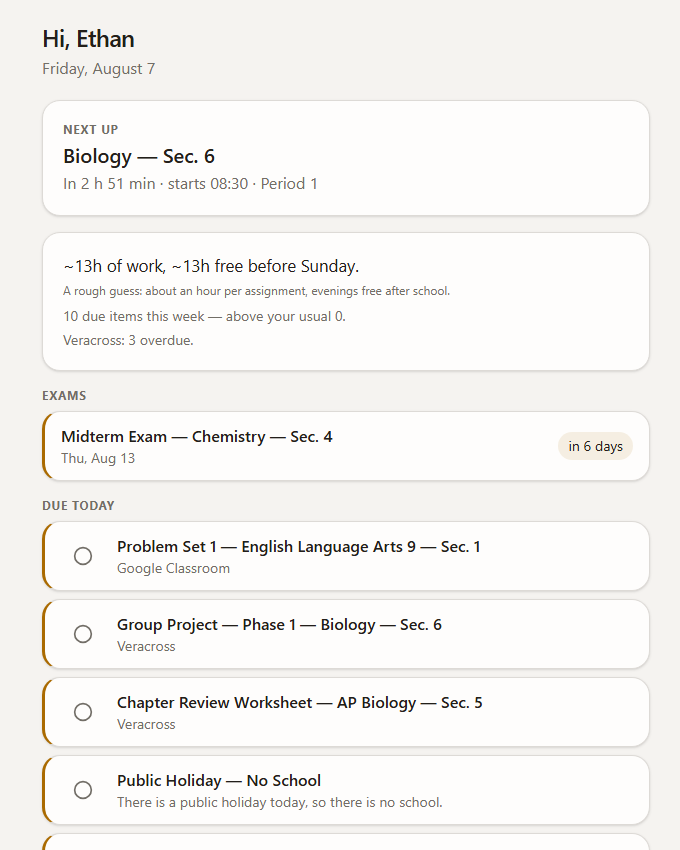
Today, ranked: the two things that matter first.
One page instead of a stack of portals.
Today, without the noise
Every source a student connects lands on one page, ranked so the real deadlines sit at the top. No streaks, no confetti, no guilt — the calm is the product.
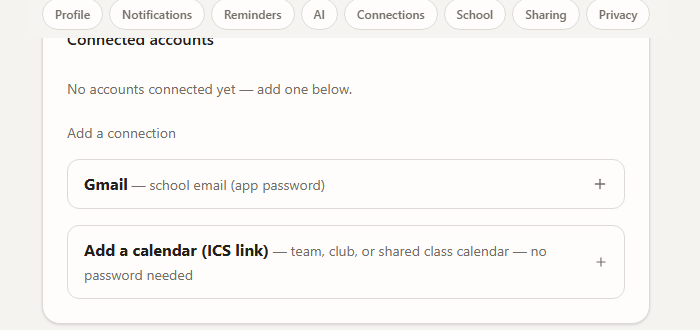
Each source is switched on by the school, or by the student.
It reads what you already run
Portals, the course platform, school email and published calendars are read from their own source, unchanged. Nothing for a student or a teacher to relearn.
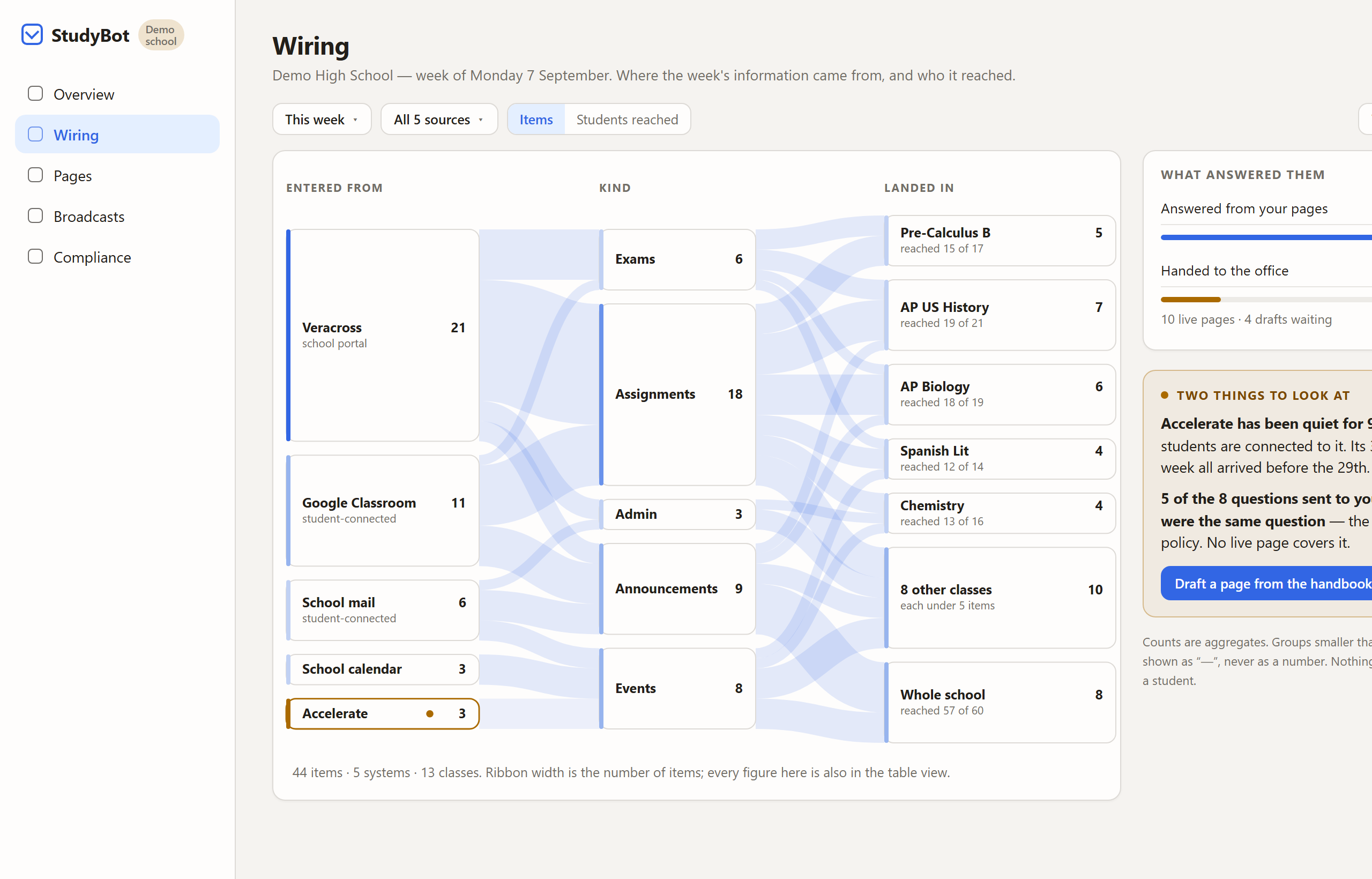
Ribbon width is the count. Same figures as the table.
Where the week came from — and who it reached
One picture for a head of school: every source on the left, what kind of update in the middle, which classes on the right. Quiet sources and unanswered questions sit beside it. The same numbers are also a table — the diagram never traps anyone.
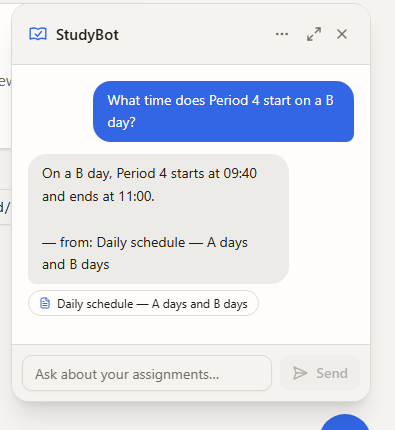
Every answer names the page it came from.
Your school assistant that actually read the announcements
"What's due Friday?" "When's the next game?" Answers come from the school's own published pages and name the page they came from — or hand the question to a person rather than guess.
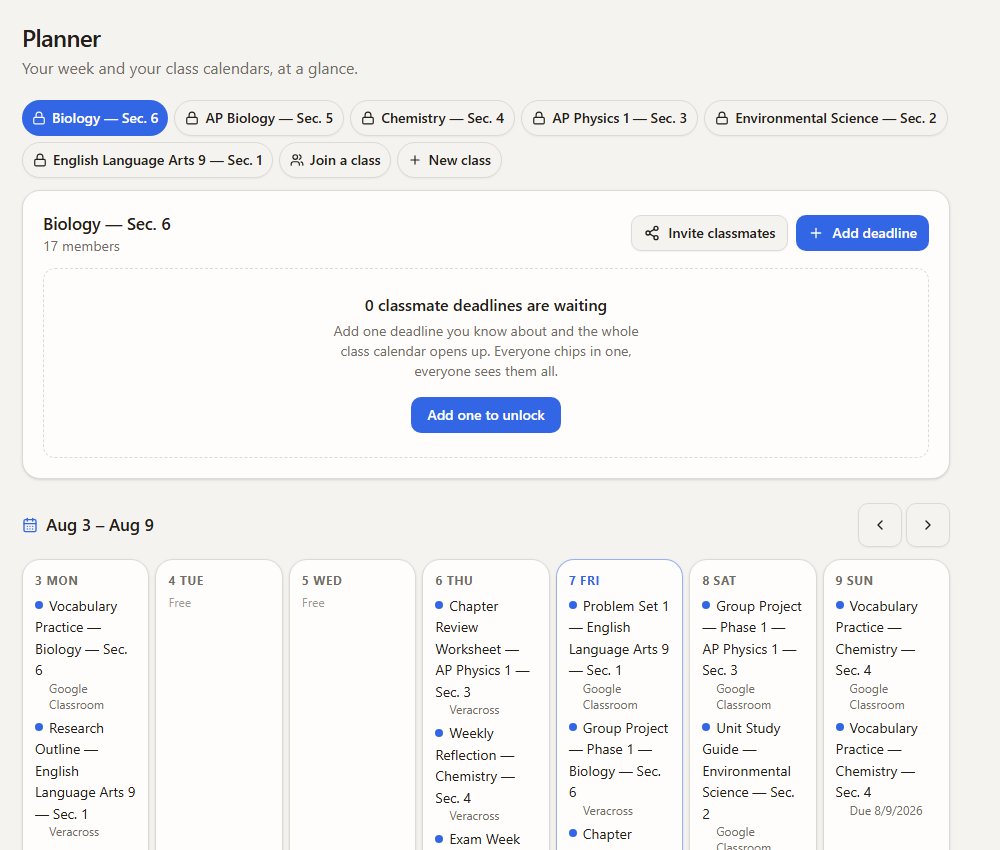
One calendar the class keeps honest.
The week the whole class can see
A shared calendar the class builds together, so a deadline one person heard about is a deadline everyone sees. Density at one school, not a social network.
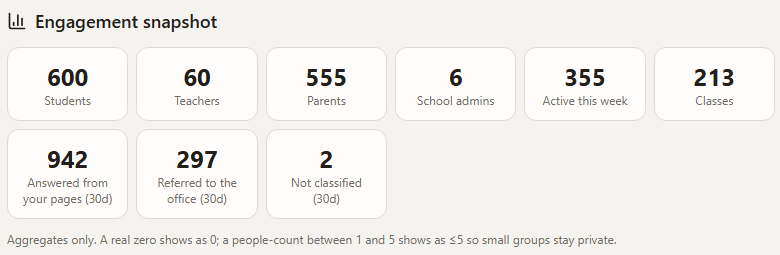
The questions nobody could answer become a to-do list.
Answers a school can stand behind
Families ask; StudyBot answers from the school's own handbook and pages, cites the source, and quietly logs the questions the pages never covered — so the office writes each page once.
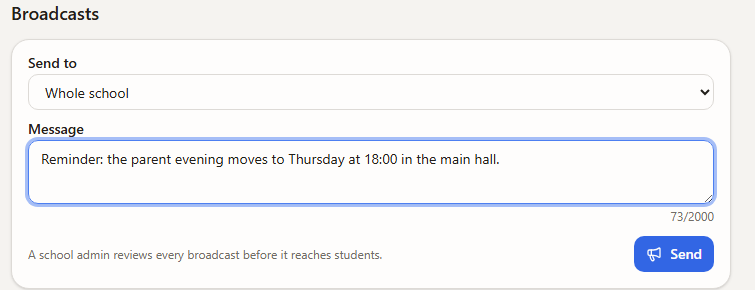
A person signs before a single family is contacted.
Nothing goes out unsigned
Anything headed to families waits on a review desk for a staff member to approve it. Each category is configurable, and there is no route that skips the person.
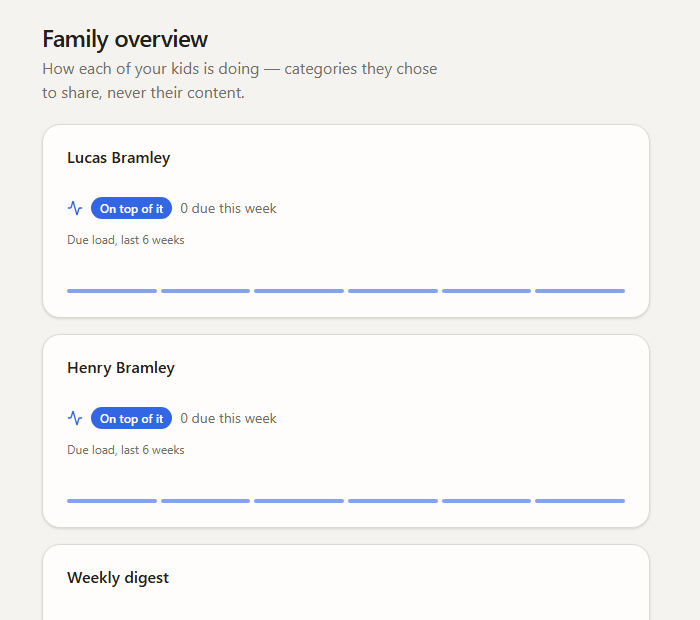
How the week is going — never the private detail.
Peace of mind, with a boundary
A parent sees a weekly summary in plain categories the teenager chooses. They see how the week is going. They do not see the messages, and they do not see the schoolwork.
Want it on your own week?
Schools get a walkthrough built on their real timetable. Families can start tonight.